⚡ Native Apple Silicon ARM64 Virtualization

FreeBSD at Apple Silicon speed.
Built natively for macOS.

A lightweight, zero-overhead hypervisor and sleek menu bar companion. Direct Hypervisor.framework execution, on-demand memory demand-paging, zero-root userland NAT, and instant VirtIO-9P host file sharing.

Download Cube.app (v1.0.0) Explore cubectl CLI
brew install --cask darcyliu/tap/cube
Cube macOS Dashboard

Everything you need to run FreeBSD seamlessly

No bulky emulator emulation. Direct hardware virtualization on Apple M1, M2, M3, and M4 processors.

⚡

Pure Apple Silicon HVF

Bypasses legacy PC emulation. Directly programs Apple’s Hypervisor.framework with ARM64 Stage 2 translations, GICv3 interrupt distributor, and native timer registers.

🧠

On-Demand Memory Allocation

Anonymous POSIX mmap with lazy page faulting. A 2 GB VM only draws ~270 MB host RAM until pages are dirtied—conserving up to 86% host memory.

🌐

Zero-Config Userland NAT

High-speed vmnet-proxy networking with built-in DHCP and SSH port forwarding. Run servers and curl package mirrors without sudo or root privileges.

📁

VirtIO-9P Host Sharing

Mount any folder from your Mac into FreeBSD with mount -t p9fs. Edit code in macOS with your favorite editor and compile natively inside the guest.

💿

Automated ZFS Partitioning

1-Click netboot provisions FreeBSD 14.4 and 15.1 releases with automated ZFS root pools, host SSH keys, and zero manual installer prompts.

🪟

Native Menu Bar HUD

Check running status, grab live IP addresses, or connect SSH with 1 click directly from the macOS status bar without cluttering your desktop.
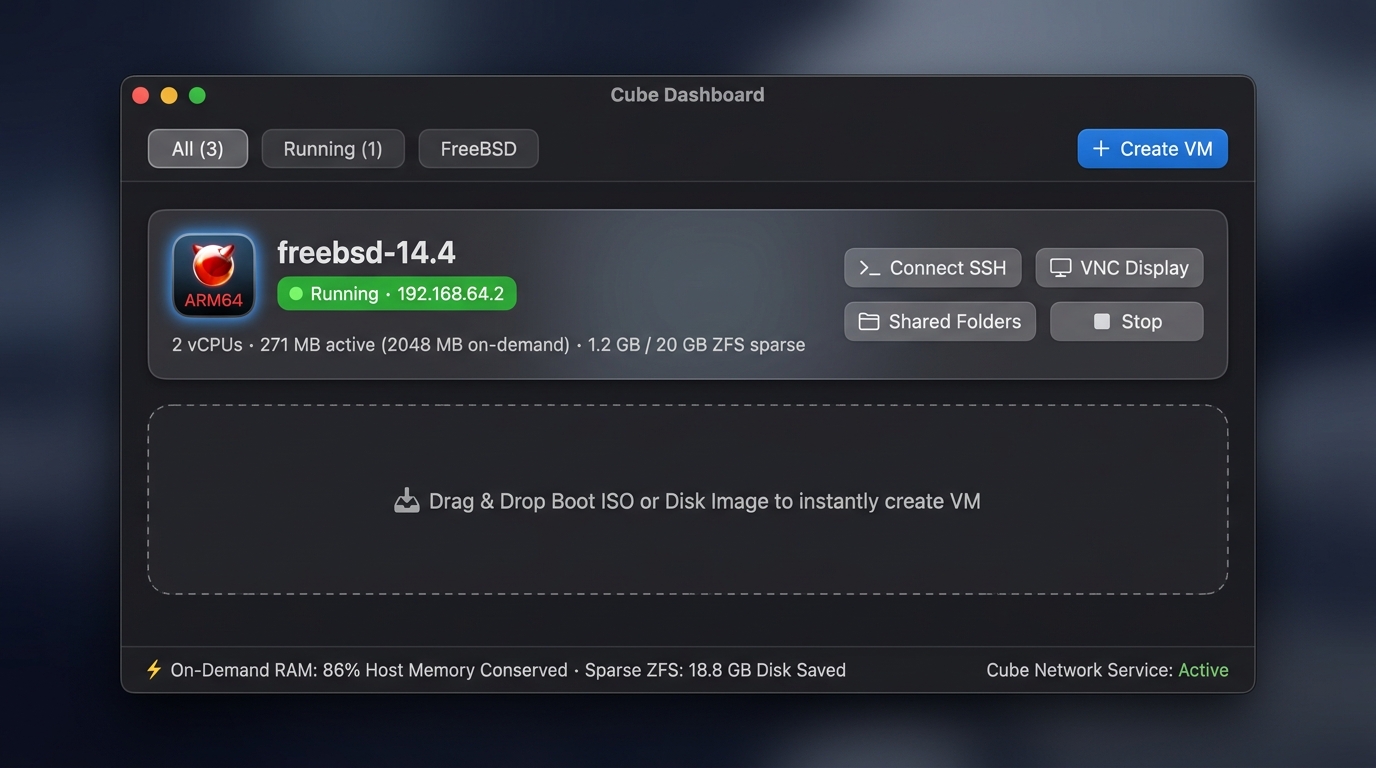
The terminal and the dashboard never disagree.

Prefer the shell? cubectl drives the exact same state machine as Cube.app. Create, start, inspect, and snapshot FreeBSD machines straight from your zsh or bash workflows.

% cubectl create freebsd-14 --ram 2048 --cpus 2
[Cube] Downloading FreeBSD 14.4-RELEASE ARM64 netboot...
[Cube] Creating 20GB sparse ZFS virtual disk (~1.2 GB allocated)
✓ Created virtual machine 'freebsd-14'

% cubectl start freebsd-14
[Cube] Booting kernel GPA 0x80080000 with 2 vCPUs...
[Cube] Network: vmnet-proxy active on 192.168.64.2
● Virtual machine is running (PID 48291)

How Cube compares

Designed specifically for FreeBSD on Apple Silicon rather than generic PC emulation.

Feature Cube Generic QEMU / UTM Heavyweight Hypervisors
Host RAM Usage (2GB VM) ~270 MB (Demand-Paged) 2,048 MB (Eager Pinned) 2,200 MB+ (Framework overhead)
Privilege Requirement None (User Mode) Sometimes Sudo for tap/bridge Kernel Extensions / Root Daemons
Cold Boot to SSH < 1.2 seconds 10 - 25 seconds 15 - 30 seconds
Menu Bar Companion Built-in Native HUD None (Window Only) Heavy Background Service
Host File Sharing VirtIO-9P Native p9fs WebDAV / Spice port forward Proprietary Guest Additions

Ready to build on FreeBSD?

Download Cube for macOS and boot your first high-speed ARM64 FreeBSD environment in under 60 seconds.